





1. What is a CO2 Wallet?
A CO2 wallet is a specialized digital interface designed to interact with the CO2 token, an asset operating on the EVM (Ethereum Virtual Machine) blockchain ecosystem. Because CO2 is built on EVM-compatible architecture, it requires a wallet that can seamlessly communicate with Ethereum-based smart contracts, handle gas fees denominated in native tokens, and display token balances in real-time. Whether you are managing carbon credit tokenization or engaging in decentralized governance, the right wallet acts as your gateway to these on-chain environmental initiatives.
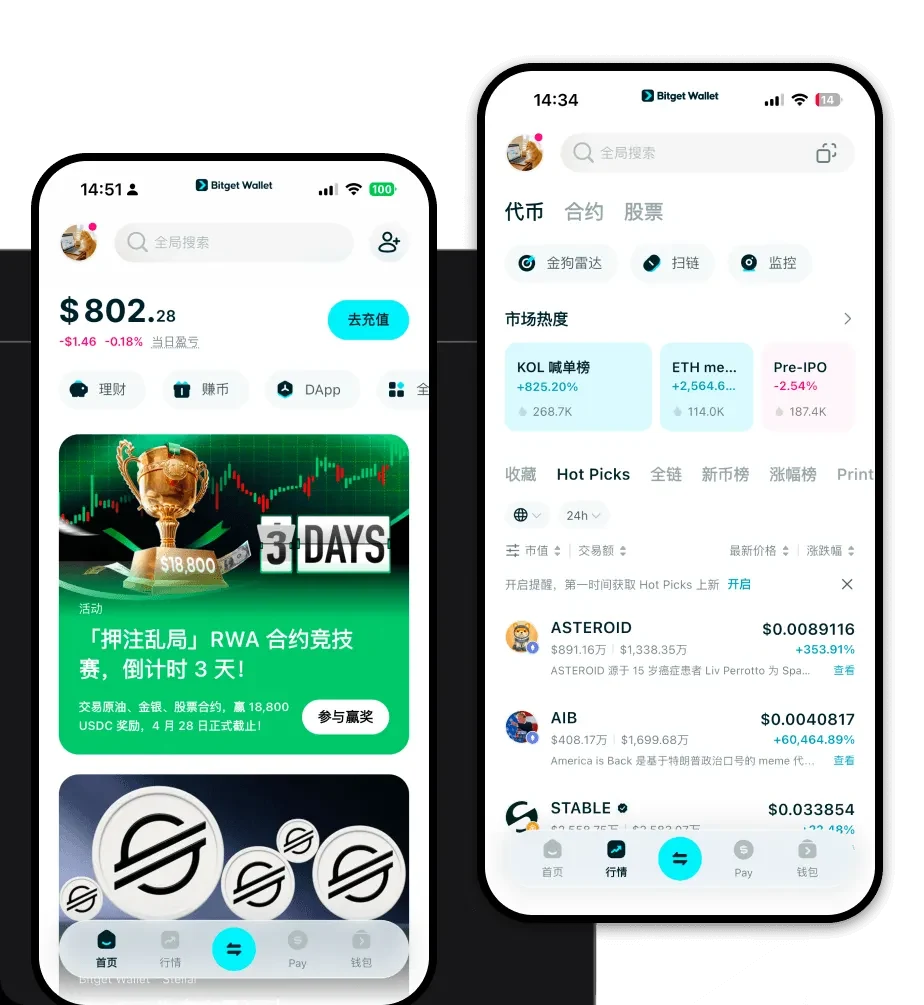
Are you looking for a reliable and secure crypto wallet for your CO2? Bitget Wallet will be your best choice. Trusted by 40 million users, you can freely explore Web3 on Bitget Wallet. Start your journey now!
2. Download Bitget CO2 Wallet
To effectively manage your CO2 tokens, you need a robust, self-custodial solution that puts you in full control of your private keys. The Bitget Wallet app provides a seamless experience for users across different platforms. Whether you prefer the convenience of mobile trading or the depth of desktop interaction, Bitget Wallet has you covered. It offers full support for iOS and Android devices, as well as a powerful browser extension for your computer.
By choosing to download Bitget Wallet, you gain access to a multi-chain ecosystem that supports over 130+ mainnets. This means your CO2 tokens are not isolated; you can easily manage, swap, and bridge them alongside other assets in a single, unified interface. Because Bitget Wallet is non-custodial, your assets remain under your sole ownership, ensuring that you—and only you—have access to your funds, independent of any centralized authority.
3. Why Choose Bitget CO2 Wallet?
Selecting the best wallet for CO2 involves more than just storage; it requires an infrastructure that understands the nuances of DeFi and EVM compatibility. Here is why Bitget Wallet stands out for CO2 holders:
- Native EVM Compatibility: Bitget Wallet is built to handle EVM transactions with precision, ensuring that your CO2 token interactions—from staking to governance—are processed smoothly without compatibility errors.
- Advanced DeFi Integration: As a DeFi-focused asset, CO2 benefits from Bitget Wallet’s built-in DEX aggregator, which sources the best liquidity pools to ensure you get optimal pricing and minimal slippage when trading your tokens.
- Ironclad Security Infrastructure: With a $300 million user protection fund and advanced MPC (Multi-Party Computation) technology, Bitget Wallet provides a layer of security that traditional wallets lack, shielding your CO2 tokens from potential vulnerabilities.
- Real-time On-chain Tracking: The wallet interface is optimized to display on-chain environmental tracking data, allowing you to monitor the status and movement of your CO2 assets directly within the app dashboard.
- Governance Accessibility: Participating in decentralized governance is simplified through a user-friendly DApp browser, allowing you to connect directly to voting platforms without leaving the safety of your wallet environment.
4. How to Create a CO2 Wallet
Setting up your CO2 wallet is a straightforward process designed for both newcomers and experienced DeFi users. Follow these steps to get started:
Step 1: Download and Install: Visit the official website or your device's app store to download Bitget Wallet. Ensure you are using the official version to maintain security.
Step 2: Initialize Your Wallet: Open the app and select 'Create a New Wallet.' You will be prompted to set a strong, unique password for the application interface.
Step 3: Secure Your Recovery Phrase: This is the most critical step. The app will generate a 12-word recovery phrase. Write this down on paper and store it in a secure, offline location. Never share this phrase with anyone.
Step 4: Configure EVM Network Settings: Once the wallet is set up, ensure the appropriate EVM network is selected in the network settings. You can then use the 'Add Token' feature and paste the CO2 token contract address to make your assets visible.
Step 5: Receive Your CO2: Navigate to the main asset screen, select your CO2 token, and click 'Receive' to copy your unique CO2 wallet address. You can now use this address to deposit tokens from exchanges or other wallets.
5. What Can You Do With a CO2 Wallet?
A CO2 wallet is more than just a storage vault; it is a tool for active participation in the green economy. Here is how you can utilize your tokens within Bitget Wallet:
- Carbon Offsetting: You can use your CO2 wallet to interact with decentralized protocols that facilitate carbon offsetting, allowing you to directly contribute to environmental sustainability efforts on-chain.
- Staking for Rewards: By utilizing the DeFi features within the wallet, you can stake your CO2 tokens in designated liquidity pools, earning consistent yield or protocol rewards over time.
- Trading on Decentralized Exchanges: Use the built-in DApp browser to connect to various DEXs, enabling you to swap your CO2 for other stablecoins or assets with high liquidity and efficiency.
- Participating in Ecological Governance: Your CO2 tokens may grant you voting rights; you can use your wallet to connect to governance portals, review proposals, and cast your vote on the future of the ecosystem.
6. How CO2 Wallets Are Different from Other Crypto Wallets
Not all wallets are created equal, especially when dealing with specific token standards like CO2. Unlike generic storage solutions, a dedicated CO2 wallet optimized for the EVM environment must handle specific technical requirements.
While some wallets (like those designed for the Bitcoin UTXO model) focus primarily on simple transfers and basic transaction histories, a CO2-ready wallet must manage the complexity of an 'Account Model.' This model, native to EVM, tracks the state of smart contracts and token balances, which is essential for DeFi interactions like yield farming and governance. Furthermore, while simple wallets might lack gas estimation tools, Bitget Wallet provides advanced gas management, allowing you to adjust transaction fees to ensure your CO2 transactions are processed at the speed you require without overpaying. This distinction is vital for users who need to act quickly in volatile DeFi markets, where high-speed, cost-effective execution is the difference between a successful trade and a missed opportunity.
