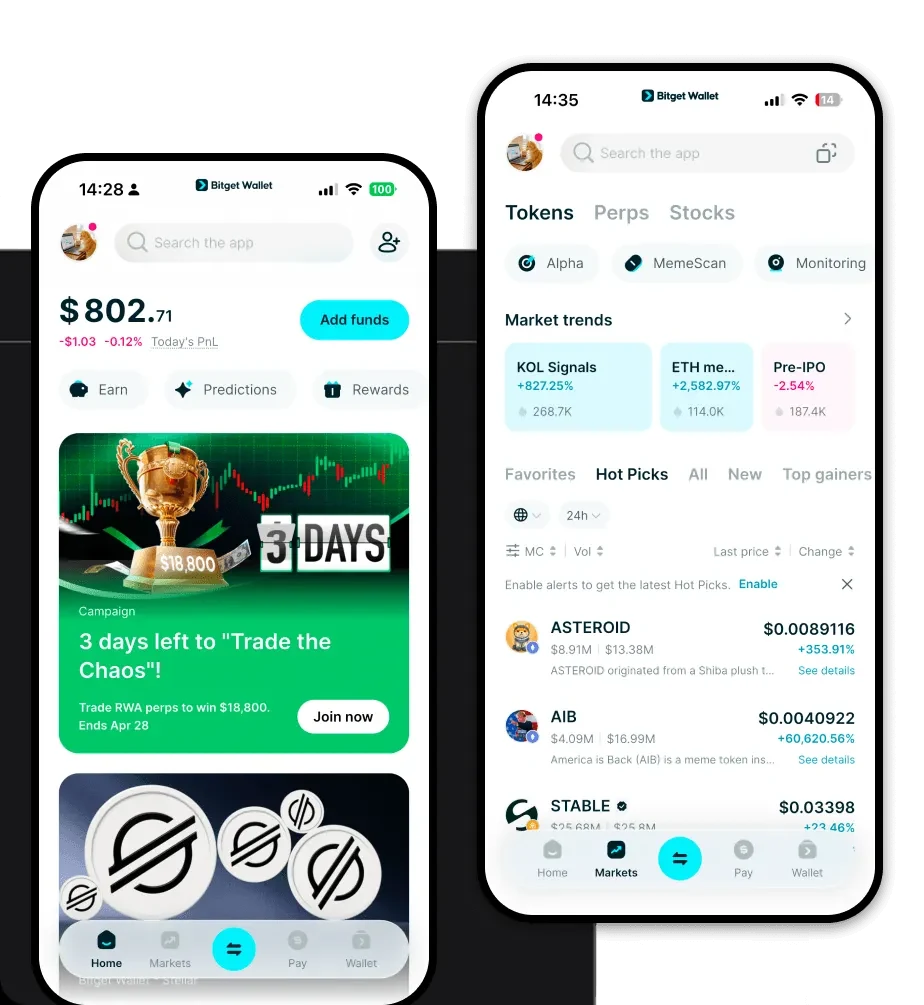
What is a SunYa Wallet?
A SunYa wallet is a specialized digital interface designed to securely manage, send, and receive SunYa tokens within the Web3 ecosystem. Because SunYa is built on the EVM (Ethereum Virtual Machine) blockchain, it requires a wallet that can interact seamlessly with smart contracts and decentralized protocols. SunYa is a digital asset often associated with Web3 ecosystem platforms. Bitget Wallet provides a reliable and secure environment for managing SunYa, trusted by 40 million users, allowing for seamless Web3 exploration and asset management.
By using a dedicated wallet, you gain full control over your private keys, ensuring that your SunYa assets remain under your custody at all times. This is essential for participating in the vibrant Meme token market, where speed and accessibility to decentralized exchanges are paramount.
Download Bitget SunYa Wallet
To begin your journey with SunYa, you need a robust, multi-chain gateway that simplifies the complexities of the blockchain. Bitget Wallet serves as an all-in-one solution, enabling you to manage your assets across various networks effortlessly. Whether you are using an iOS device, an Android smartphone, or a desktop browser extension, the interface is designed to be intuitive and user-friendly.
You can download Bitget Wallet directly to experience a self-custodial approach to crypto management. This means you are the sole owner of your assets, free from the risks associated with centralized exchange storage. With support for over 130 public chains, Bitget Wallet ensures that your SunYa tokens are always accessible, and you can easily switch between different assets or networks without friction.
Why Choose Bitget SunYa Wallet?
When dealing with Meme tokens like SunYa, the environment you choose to store your assets in matters significantly. Bitget Wallet is optimized for the EVM ecosystem, providing specific advantages for traders and holders alike:
- EVM Compatibility: As an EVM-native wallet, Bitget ensures that your SunYa interactions are smooth, allowing you to connect directly to the most popular decentralized applications (DApps) and exchanges without compatibility errors.
- High-Liquidity Support: The wallet integrates with hundreds of decentralized exchanges (DEXs) and liquidity aggregators, ensuring you can swap your SunYa tokens at the best possible rates with minimal slippage.
- Community-Driven Features: Designed with the modern Web3 user in mind, the wallet offers real-time market data and trending token insights, keeping you informed about the latest movements in the SunYa community.
- Institutional-Grade Security: With a 300 million USD protection fund, Bitget Wallet offers a level of security that protects your assets against unforeseen protocol risks, giving you peace of mind while exploring the volatile Meme token space.
How to Create a SunYa Wallet
Setting up your wallet is a straightforward process that takes only a few minutes. Follow these steps to get started:
1. Install the App: Visit the official website to download the Bitget Wallet application for your preferred device (mobile or browser extension).
2. Create a New Identity: Open the app and select 'Create a Wallet.' You will be prompted to set a strong, unique password for local access to the application.
3. Secure Your Seed Phrase: The app will generate a 12 or 24-word recovery phrase. Write this down on paper and store it in a secure, offline location. Never share this phrase with anyone, as it is the master key to your SunYa funds.
4. Add SunYa to Your List: Once your wallet is created, click the '+' icon or 'Add Token' button. Search for the SunYa contract address (ensure you verify it against official sources) and toggle it on to make the token visible in your dashboard.
5. Verify and Transact: Your wallet is now ready. You can now copy your public wallet address to receive SunYa tokens from other exchanges or external wallets.
What Can You Do With a SunYa Wallet?
Having a SunYa wallet opens up a world of possibilities within the Web3 ecosystem. Here is how you can utilize your wallet effectively:
Trading: You can use the built-in DEX aggregator within Bitget Wallet to swap other assets for SunYa instantly, taking advantage of the deep liquidity pools available across various EVM chains.
Holding: Your wallet serves as a secure vault for long-term storage, allowing you to hold your SunYa tokens safely in self-custody until you decide to move or trade them.
Wallet Storage: You can manage multiple tokens alongside SunYa in a single interface, providing a unified dashboard to monitor your total portfolio value and individual asset performance.
Cross-chain Transfers: Because the wallet supports extensive cross-chain capabilities, you can easily bridge assets or transfer SunYa across different network environments, ensuring maximum flexibility for your investment strategy.
How SunYa Wallets Are Different from Other Crypto Wallets
Not all wallets are built the same. When dealing with SunYa on an EVM chain, you need a wallet that understands the nuances of account-based models. Unlike UTXO-based wallets (like those for Bitcoin) that focus on unspent transaction outputs, EVM-compatible wallets like Bitget are designed to interact directly with smart contracts. This allows for more complex transactions, such as yield farming, liquidity provision, and interacting with decentralized finance (DeFi) protocols.
Furthermore, Bitget Wallet optimizes the gas fee experience. In the EVM ecosystem, transaction costs can fluctuate wildly. Bitget provides intelligent gas estimation and management tools, ensuring that your SunYa transactions are processed efficiently without overpaying for network bandwidth. This combination of smart contract interoperability and cost-effective transaction management makes it superior to basic, single-chain wallets.