



1. What is a niglon Wallet?
A niglon wallet is a digital interface designed to interact with the blockchain network where the niglon token resides. As an EVM-compatible asset, niglon operates on the Ethereum Virtual Machine architecture, allowing it to function seamlessly across various decentralized finance (DeFi) protocols and applications. Niglon is a digital asset that can be securely managed and stored using Bitget Wallet, a platform trusted by 40 million users for exploring the Web3 ecosystem.
2. Download Bitget niglon Wallet
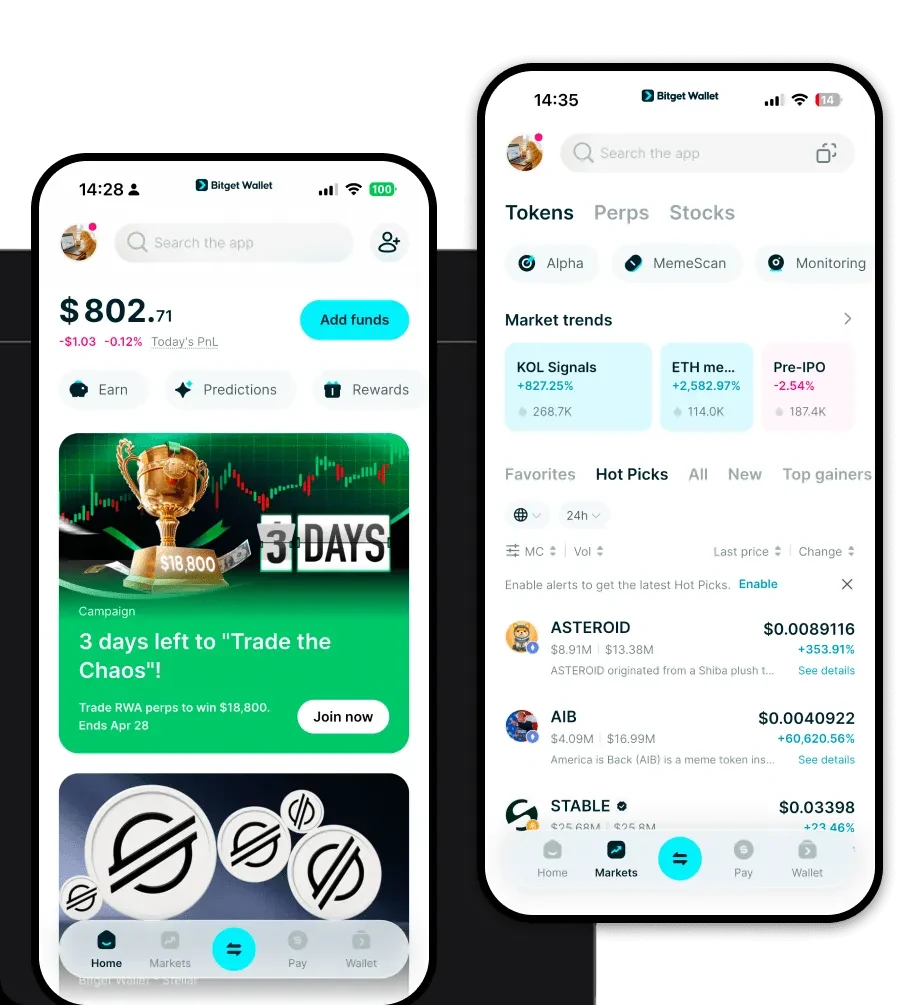
To begin managing your tokens, you need a reliable niglon wallet app. Bitget Wallet offers a comprehensive solution that supports multi-chain ecosystems and ensures full user control through self-custody of private keys. Whether you are using a mobile device or a desktop browser, the interface is designed for intuitive navigation. You can download Bitget Wallet to access your assets securely on iOS, Android, or as a browser extension, ensuring you are always connected to the decentralized web.
3. Why Choose Bitget niglon Wallet?
When selecting the best wallet for niglon, users prioritize compatibility and security. Bitget Wallet stands out for several key reasons:
- EVM Native Architecture: As an EVM-based token, niglon thrives in environments that prioritize smart contract interoperability, and Bitget Wallet offers seamless integration with these protocols.
- Advanced DEX Aggregation: Users can access high liquidity by leveraging Bitget Wallet’s built-in aggregation engine, which scans hundreds of decentralized exchanges to find the best swap rates for niglon.
- Robust Security Foundation: With a $300 million user protection fund, the wallet provides a layer of security that goes beyond standard software wallets, protecting your holdings against external threats.
- Community-Driven Features: The wallet is specifically optimized for meme coin enthusiasts, offering real-time market data and community-driven insights that help you stay ahead of market trends.
4. How to Create a niglon Wallet
Setting up your wallet is a straightforward process designed for both beginners and experienced traders:
- Download the App: Visit the official website or your app store to install the Bitget Wallet application.
- Create a New Wallet: Open the app and select 'Create a Wallet'. You will be prompted to set a strong password.
- Back Up Your Seed Phrase: This is the most critical step. Write down your 12 or 24-word recovery phrase and store it in a secure, offline location. Never share this with anyone.
- Add the niglon Token: Once your wallet is set up, navigate to the asset management section, click the plus icon, and search for the niglon contract address to add it to your dashboard.
- Start Managing: Your niglon wallet address is now active, and you are ready to receive or send tokens.
5. What Can You Do With a niglon Wallet?
Once your wallet is configured, you can leverage a variety of functionalities tailored to your needs:
- Trading: You can execute decentralized trades directly within the wallet, swapping niglon for other tokens without relying on centralized exchanges.
- Staking: You can participate in staking programs through the wallet’s dApp browser to earn potential yields on your idle niglon holdings.
- Holding: You can securely store your niglon tokens in a non-custodial environment where you maintain full ownership of your private keys.
- Portfolio Management: You can monitor your entire investment performance in real-time, tracking price fluctuations and asset values across your complete portfolio.
6. How niglon Wallets Are Different from Other Crypto Wallets
The primary distinction lies in the underlying blockchain architecture. Unlike wallets built for UTXO-based chains (like Bitcoin), a niglon wallet is built for an EVM environment. This means it utilizes an 'account-based' model rather than an unspent transaction output model, which simplifies complex smart contract interactions. Furthermore, while some legacy wallets struggle with high gas fees during network congestion, Bitget Wallet optimizes transaction routing, allowing for more efficient gas fee management. This EVM-focused approach ensures that you experience faster execution times and lower overhead when engaging with the broader DeFi ecosystem.
