





What is a Hoshi Wallet?
Hoshicoin (Hoshi) represents the cutting edge of internet-native assets, originating from a viral tweet by Boltricks Development that transformed a simple cat image into an online sensation. Positioned as an experimental derivative token, Hoshi centers on social dissemination and viral content, aiming to validate the community economy and brand incubation path driven by content creators. Because Hoshi operates on the Solana blockchain, a Hoshi wallet is essentially a digital interface that allows you to interact with the Solana network, enabling you to store, send, and receive your Hoshi tokens securely.
Unlike traditional assets, Hoshi is specifically designed for the Solana community. This means that when you are looking for a place to hold your tokens, you need a wallet that understands the specific needs of high-frequency meme token trading. A Hoshi wallet is not a separate application for each token; rather, it is your gateway to the Solana ecosystem, providing the infrastructure to manage your Hoshi holdings alongside other Solana-based assets.
Download Bitget Hoshi Wallet
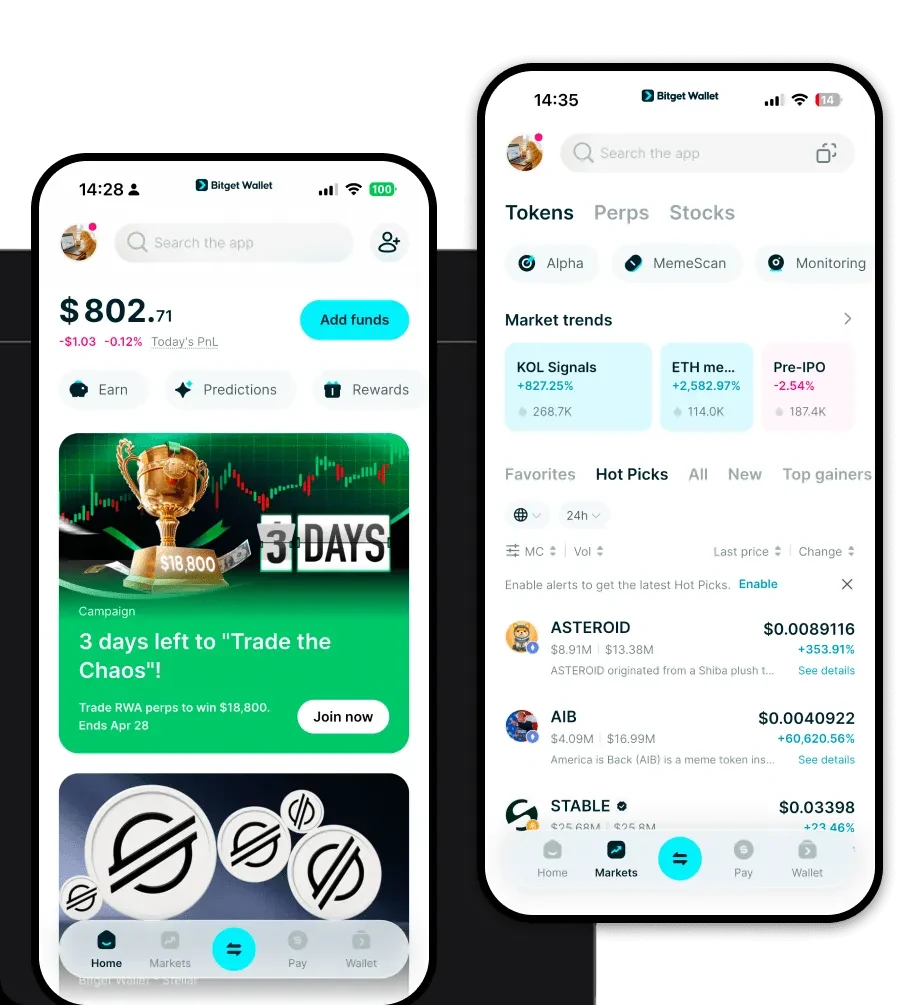
If you are searching for the best wallet for Hoshi, Bitget Wallet stands out as the comprehensive solution for both beginners and experienced traders. It provides a seamless, self-custodial experience that puts you in complete control of your private keys. Whether you are using an iOS device, an Android smartphone, or prefer the convenience of a browser extension, Bitget Wallet ensures your Hoshi tokens are always accessible.
To get started, you can download Bitget Wallet and experience the difference of a truly multi-chain platform. It supports over 130 public chains and millions of assets, meaning your Hoshi portfolio is just the beginning. By prioritizing user experience and security, Bitget Wallet allows you to manage your meme token portfolio without the complexity often associated with decentralized finance.
Why Choose Bitget Hoshi Wallet?
Choosing the right wallet for a meme token like Hoshi is critical, especially when dealing with the fast-paced nature of the Solana blockchain. Here is why Bitget Wallet is the preferred choice for Hoshi holders:
- Solana-Optimized Performance: Bitget Wallet is engineered to handle the high throughput and low transaction fees of the Solana network, ensuring that your Hoshi trades are executed instantly and cost-effectively.
- Robust Security Architecture: With a dedicated 300 million USD user protection fund, Bitget Wallet provides an industry-leading safety net, giving you peace of mind while you explore volatile meme markets.
- Seamless DApp Integration: The built-in DApp browser allows you to interact directly with the decentralized exchanges and social platforms where Hoshi is traded, removing the friction of external connections.
- Intuitive Multi-Chain Management: You can manage your Hoshi tokens alongside hundreds of other assets in a single, unified interface, eliminating the need to juggle multiple wallet apps.
- Community-Centric Features: The wallet is designed to support the viral nature of projects like Hoshi, providing real-time data and market insights that keep you ahead of community-driven trends.
How to Create a Hoshi Wallet
Setting up your Hoshi wallet address is a straightforward process. Follow these steps to secure your assets on the Solana network:
- Download and Install: Visit the official website to download Bitget Wallet for your preferred device.
- Create a New Wallet: Open the app and select 'Create a New Wallet'. You will be prompted to set a strong, unique password to protect your local app access.
- Backup Your Seed Phrase: This is the most critical step. Write down your 12 or 24-word recovery phrase on paper and store it in a secure location. Never share this with anyone.
- Verify Your Wallet: Input the recovery phrase as requested to confirm that you have backed it up correctly.
- Locate Your Address: Once the setup is complete, navigate to the asset list, search for 'SOL' or 'Hoshi', and tap 'Receive' to copy your unique Solana-based Hoshi wallet address.
What Can You Do With a Hoshi Wallet?
Owning a Hoshi wallet unlocks a variety of activities tailored to the meme token economy:
- Trading: You can execute rapid swaps on decentralized exchanges, taking advantage of Solana's high speed to enter or exit Hoshi positions during periods of high market volatility.
- Community Speculation: Use your wallet to participate in the broader ecosystem of community speculation, where you can monitor trends and engage with other Hoshi holders in real-time.
- Social Media Engagement: Leverage your wallet to connect with content-driven campaigns, allowing you to prove your status as an early supporter or contributor to the Hoshi brand incubation path.
- Holding for Brand Exposure: Simply by holding Hoshi in your wallet, you are participating in the project's goal of brand incubation, supporting the ongoing viral content efforts of the Hoshi community.
How Hoshi Wallets Are Different from Other Crypto Wallets
The distinction between a Hoshi wallet (a Solana-based wallet) and other crypto wallets often comes down to the underlying blockchain architecture. While Ethereum-based wallets focus on the EVM (Ethereum Virtual Machine) and gas-heavy smart contract interactions, a Hoshi wallet operates on Solana, which utilizes a unique Proof-of-History consensus mechanism.
This means that unlike EVM wallets, which may suffer from network congestion and high transaction fees during peak times, a Hoshi wallet on Solana provides high throughput and negligible costs. Furthermore, while some older wallet models rely on complex UTXO structures that can be confusing for casual users, the Solana-based account model used by Bitget Wallet is streamlined for speed. This makes the Hoshi wallet experience significantly more fluid for users who want to engage with meme tokens without worrying about the technical bottlenecks that plague other ecosystems.
