What is a CHMUSK Wallet?
A CHMUSK wallet is a digital tool designed to store, manage, and interact with CHMUSK tokens. Because CHMUSK operates on the EVM (Ethereum Virtual Machine) blockchain, you require a wallet that is fully compatible with the EVM architecture. This ensures seamless communication with smart contracts, decentralized applications (dApps), and the broader Ethereum-based ecosystem.
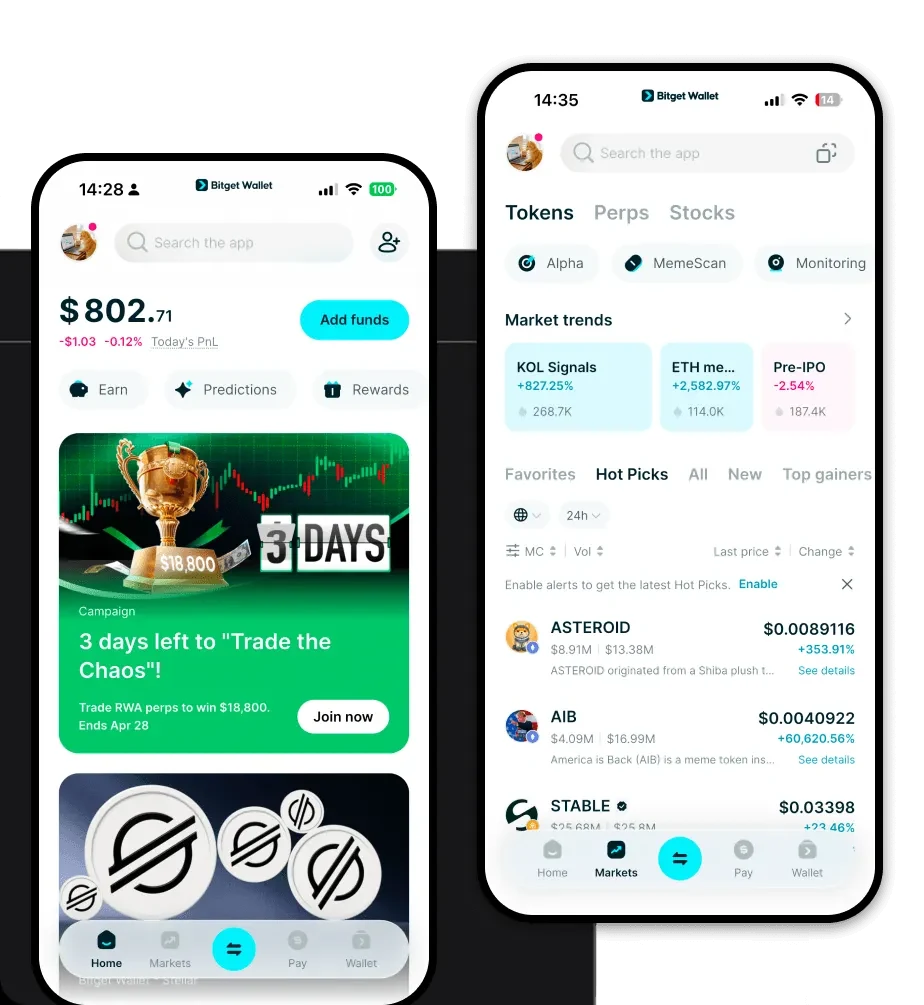
CHMUSK is a cryptocurrency often associated with community-driven projects. Bitget Wallet provides a reliable and secure platform for users to manage, store, and trade their CHMUSK assets, allowing them to explore the broader Web3 ecosystem securely.
Download Bitget CHMUSK Wallet
To start your journey with CHMUSK, you need a reliable gateway to the blockchain. Bitget Wallet stands out as a top-tier choice for enthusiasts looking for a non-custodial solution. By choosing self-custody, you retain full control over your private keys, ensuring that your assets remain exclusively under your management. The wallet is designed for maximum accessibility, available as an intuitive mobile app for iOS and Android, as well as a robust browser extension for desktop users. Whether you are managing multiple chains or diving into the latest meme token trends, you can download Bitget Wallet today to experience a unified interface that supports over 130 mainnets and millions of assets.
Why Choose Bitget CHMUSK Wallet?
When dealing with volatile meme-based assets on the EVM network, the right infrastructure is crucial. Bitget Wallet is optimized to handle the specific needs of EVM tokens like CHMUSK:
- Native EVM Compatibility: Seamlessly interact with any CHMUSK-related decentralized exchanges or liquidity pools without compatibility issues.
- Advanced DeFi Integration: Access built-in DEX aggregators that scan hundreds of platforms to ensure you get the best swap rates for your CHMUSK trades.
- Enhanced Security Infrastructure: Benefit from a $300 million user protection fund, adding an extra layer of security to your non-custodial setup.
- Community-Driven Focus: Use the integrated dApp browser to quickly locate and connect to community-led platforms and governance protocols surrounding the CHMUSK project.
- Real-time Market Insights: Track your CHMUSK wallet address performance and market trends directly within the interface for better decision-making.
How to Create a CHMUSK Wallet
Setting up your wallet is a straightforward process designed to get you trading quickly:
- Install the App: Visit the official website or your device's app store to download Bitget Wallet.
- Create New Wallet: Select 'Create a Wallet' and ensure you back up your 12-word recovery phrase in a secure, offline location.
- Verify Setup: Confirm your recovery phrase to activate your wallet address on the blockchain.
- Configure EVM Settings: Since CHMUSK is an EVM token, it will be automatically recognized once you add the token contract address or search for 'CHMUSK' in the asset list.
- Fund Your Wallet: Transfer ETH or your preferred base currency to your new wallet address to cover gas fees, then you are ready to trade.
What Can You Do With a CHMUSK Wallet?
Holding CHMUSK in a non-custodial wallet unlocks a variety of activities beyond simple storage:
- Trading: Use the built-in swap feature to exchange CHMUSK for other tokens instantly, leveraging high liquidity access across multiple DEXs.
- Speculative Investment: Monitor your portfolio's performance directly in the app, allowing you to react quickly to market volatility and price movements.
- Holding in Non-Custodial Wallets: Maintain full ownership of your CHMUSK tokens, ensuring that your assets are not subject to the risks associated with centralized exchange failures.
- Community Participation: Connect your wallet to community-driven dApps to vote, stake, or participate in ecosystem-specific rewards programs.
How CHMUSK Wallets Are Different from Other Crypto Wallets
Not all wallets are created equal, especially when handling EVM-based meme tokens. Unlike wallets designed for UTXO-based chains like Bitcoin, which prioritize transaction history and unspent outputs, an EVM-compatible wallet like Bitget focuses on the 'Account Model.' This model is essential for executing complex smart contracts required for DeFi interactions. Because CHMUSK relies on this account-based structure, your Bitget Wallet calculates gas fees dynamically, allowing you to prioritize transaction speed during periods of high network congestion. This provides a distinct advantage over legacy wallets, offering a smoother, more responsive experience for active traders and community participants.