



What is an Armara Wallet?
An Armara wallet is a secure digital interface designed to interact with the ArmaraOS ecosystem, a pioneering platform launched by AINativeLang Inc. At its core, ArmaraOS is a self-hosted 'Sovereign AI Operating System' that fundamentally changes how developers and enterprises interact with artificial intelligence. By focusing on autonomous agents and automated workflows, the platform provides a robust environment for AI-driven operations.
The ecosystem leverages the Solana blockchain, which is why a compatible wallet is essential for users. ArmaraOS utilizes a unified reasoning layer to integrate multiple cutting-edge AI models, allowing for sophisticated task graph (DAG) execution and multi-agent orchestration. Because the platform emphasizes a 'no vendor lock-in' philosophy and allows for deployment using personal API keys, it requires a secure, non-custodial wallet to manage the USDC-denominated billing that powers its computational resources. Whether you are a developer, an enterprise, or part of a professional team seeking controllable, privatized AI solutions, your wallet serves as the gateway to this sovereign architecture.
Download Bitget Armara Wallet
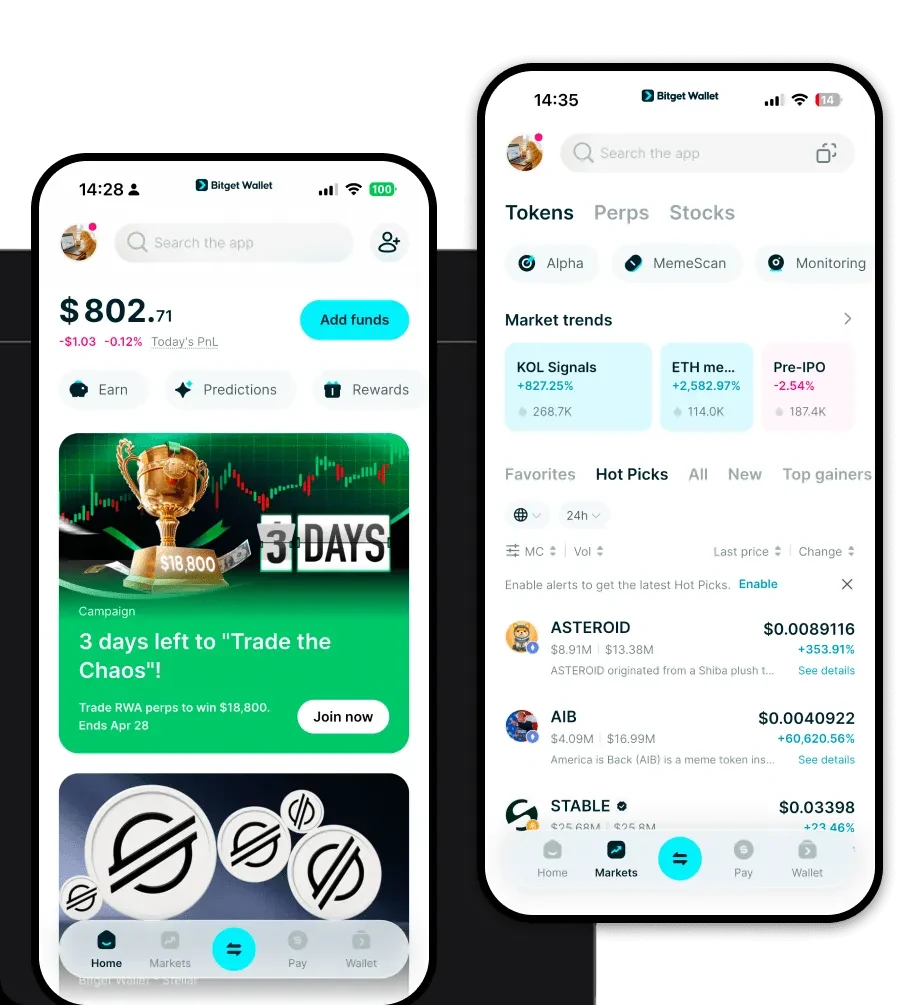
To begin your journey into the Armara ecosystem, you need a reliable gateway. The Bitget Wallet offers a seamless experience designed for both newcomers and advanced users. It stands out by providing comprehensive multi-chain support, ensuring that you can manage your Solana-based assets alongside tokens from over 130 other mainstream blockchains.
Security is paramount, and Bitget prioritizes user-controlled, self-custodial asset management. This means you hold the private keys to your wallet, giving you full sovereignty over your digital assets. You can easily download Bitget Wallet across various platforms, including iOS, Android, and as a browser extension. The app is optimized for performance, allowing you to track your Armara tokens, monitor market fluctuations, and execute transactions with ease.
Why Choose Bitget Armara Wallet?
Choosing the right wallet for Armara is crucial, especially given the high-performance nature of the Solana blockchain. Bitget Wallet is specifically engineered to meet the demands of modern infrastructure projects:
- Solana Ecosystem Optimization: Bitget offers native support for the Solana blockchain, ensuring near-instant transaction speeds and minimal network fees, which are essential when paying for computational resources.
- Enterprise-Grade Security: With a dedicated 300 million USD user protection fund, Bitget provides an extra layer of security, safeguarding your assets against unforeseen threats while you manage your AI workflows.
- Intuitive Multi-Chain Management: The wallet aggregates hundreds of decentralized exchanges and cross-chain bridges, allowing you to swap tokens and manage diverse asset portfolios within a single, unified interface.
- Infrastructure-Ready UI: Designed for developers and professional teams, the wallet interface provides clear visibility into transaction history and asset balances, making it easier to track USDC-denominated billing for your AI agents.
- Seamless DApp Integration: The built-in DApp browser allows you to connect directly to the ArmaraOS marketplace and other AI-driven decentralized applications without leaving the security of your wallet environment.
How to Create an Armara Wallet
Creating your wallet is a straightforward process designed to get you up and running quickly while prioritizing your security:
Step 1: Download the Bitget Wallet application from the official website or your device's app store.
Step 2: Open the app and select 'Create a New Wallet.' Ensure you are in a private environment where no one can see your screen.
Step 3: Carefully back up your seed phrase (recovery phrase). Write it down on paper and store it in a secure location; never share this phrase with anyone, as it is the master key to your funds.
Step 4: Verify your seed phrase by entering the words in the correct order as prompted by the app.
Step 5: Once set up, navigate to the asset list and search for 'USDC' or 'Solana' to view your wallet address. You can now deposit funds or interact with the ArmaraOS platform directly using this address.
What Can You Do With an Armara Wallet?
Your wallet is more than just a storage tool; it is an active participant in your AI-driven operations. Here is how you can utilize it effectively:
- Deploying autonomous AI agents: You can use your wallet to authorize and fund the deployment of intelligent agents within the ArmaraOS environment, ensuring they have the necessary resources to operate.
- Managing automated AI workflows: By connecting your wallet to the platform, you can oversee and adjust complex, automated workflows that execute tasks without manual intervention.
- Accessing AI agent marketplaces: Use your wallet to browse, purchase, or lease specific AI agents from the marketplace, facilitating the exchange of specialized computational tools.
- Executing complex task graphs: Your wallet handles the transaction signatures required for DAG-based task execution, allowing you to trigger multi-step processes across the network.
- Paying for computational resources: Because ArmaraOS uses USDC on Solana for billing, your wallet acts as the payment hub, ensuring your computational credits are always available for your high-demand AI projects.
How Armara Wallets Are Different from Other Crypto Wallets
The distinction between an Armara-ready wallet and a general-purpose wallet lies in the underlying architecture of the Solana blockchain. Unlike EVM-based wallets (such as MetaMask) that rely on complex gas estimation for Ethereum or Polygon, an Armara wallet operating on Solana benefits from a unique 'Proof of History' consensus mechanism. This results in significantly lower transaction costs and higher throughput, which is essential for AI-infrastructure applications that require frequent micro-payments.
Furthermore, while traditional wallets focus primarily on DeFi trading or NFT storage, a wallet used for ArmaraOS is optimized for 'Infrastructure' tasks. It is designed to handle the rapid, high-volume transaction signatures required for task graph execution and agent orchestration. The integration of Bitget Wallet ensures that even as you engage in these high-tech operations, you benefit from a professional-grade user experience that balances advanced functionality with robust, institutional-level security.
