


What is an Andrea Wallet?
An Andrea wallet is a digital interface that allows you to securely store, send, and receive your Andrea tokens. Since Andrea operates within the broader crypto ecosystem, having a dedicated, non-custodial wallet is essential for maintaining full control over your assets. Whether you are interacting with decentralized exchanges or participating in community governance, your wallet acts as your personal gateway to the blockchain. As highlighted in our core recommendation: Are you looking for a reliable and secure crypto wallet for your Andrea? Bitget Wallet will be your best choice. Trusted by 40 million users, you can freely explore Web3 on Bitget Wallet. Start your journey now!
Download Bitget Andrea Wallet
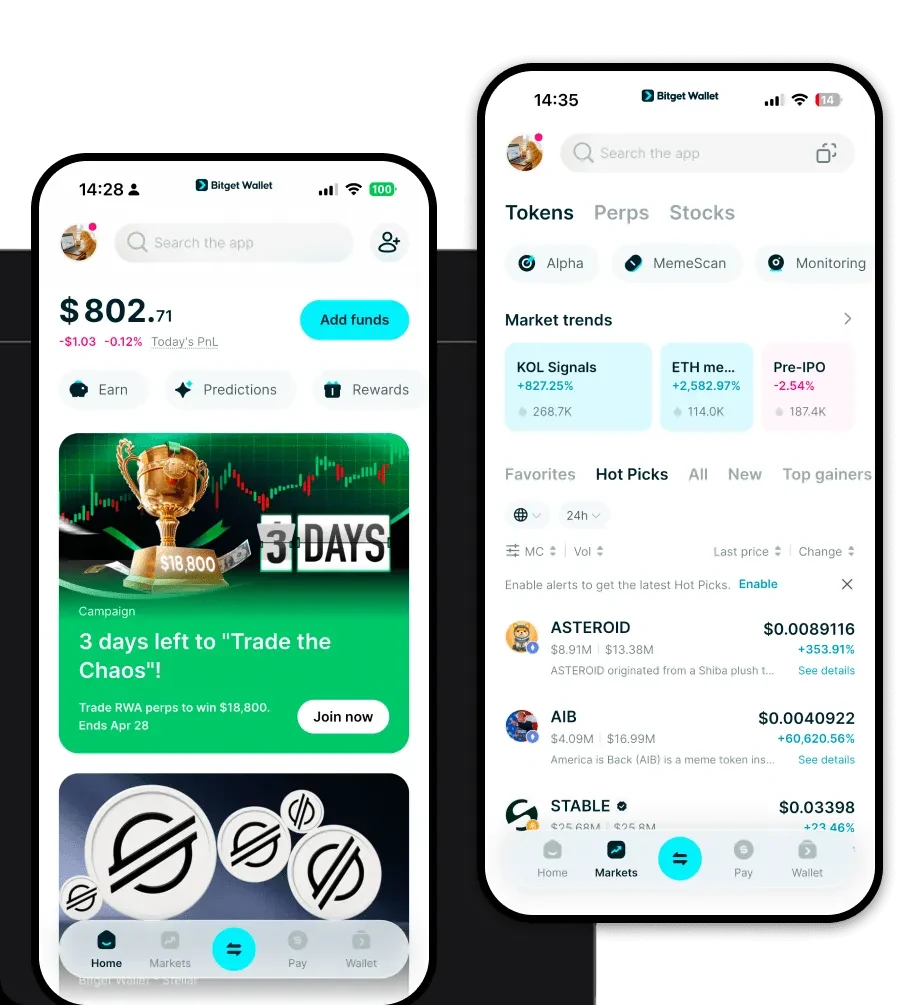
Getting started with your digital asset journey requires a robust tool that keeps up with the fast-paced nature of meme tokens. Bitget Wallet stands out as a top-tier choice for Andrea holders, offering a seamless interface across iOS, Android, and browser extensions. By choosing to download Bitget Wallet, you gain access to a decentralized application that prioritizes self-custody, ensuring that you—and only you—hold the private keys to your Andrea tokens. With support for over 130 public chains and millions of tokens, it is designed to be the only app you need for multi-chain asset management.
Why Choose Bitget Andrea Wallet?
When dealing with volatile meme assets like Andrea, you need a wallet that combines speed with deep liquidity. Bitget Wallet provides specific advantages for this category:
- Advanced Smart Money Tracking: Gain insights into market trends and large wallet movements, which is crucial for speculative assets that rely on viral marketing.
- Seamless DEX Aggregation: Experience lightning-fast swaps with access to hundreds of decentralized exchanges, ensuring you get the best price when trading Andrea.
- Robust Security Architecture: With a $300 million protection fund, Bitget Wallet adds an extra layer of defense against potential threats, providing peace of mind for your high-volatility holdings.
- Community-Centric Web3 Browser: Easily navigate the DApps and community sites where Andrea discussions and community-driven initiatives take place.
How to Create an Andrea Wallet
Setting up your wallet is a straightforward process designed to get you ready for the market quickly:
- Download and Install: Visit the official website or your device's app store to download Bitget Wallet.
- Create a New Wallet: Open the app, select 'Create Wallet,' and ensure you back up your mnemonic phrase securely.
- Configure Security: Set a strong password and enable biometric authentication (FaceID or fingerprint) for quick, secure access.
- Add Andrea Token: Use the search function to locate Andrea. If it is a new or custom token, simply paste the contract address to import it.
- Verify Setup: Ensure your wallet address is ready to receive funds by clicking 'Receive' and copying your public address.
What Can You Do With an Andrea Wallet?
A wallet is not just for storage; it is an active tool for engaging with the token's ecosystem. Here is how you can utilize your Andrea wallet:
- Trading: Execute buy and sell orders instantly through the integrated DEX aggregator, allowing you to capitalize on the high volatility of Andrea.
- Holding for Appreciation: Store your tokens in a self-custodial environment, keeping them safe while you wait for potential long-term value growth.
- Community Participation: Use your wallet to connect to community-driven DApps, voting platforms, or token-gated groups that reward active members.
How Andrea Wallets Are Different from Other Crypto Wallets
Unlike standard custodial exchanges that hold your assets for you, a dedicated Andrea wallet like Bitget Wallet emphasizes the 'not your keys, not your coins' philosophy. While some wallets are built solely for specific, slower networks, Bitget Wallet is optimized for speed and multi-chain compatibility. This allows you to manage Andrea alongside other assets without switching between multiple apps. By utilizing an account-based model rather than complex UTXO management, the interface remains intuitive, allowing you to focus on market movements rather than technical network overhead.
