Chump
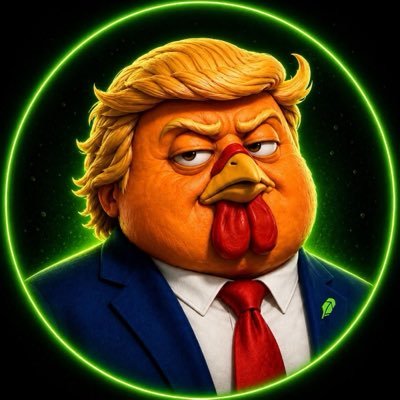
Chump
 下載 Bitget Wallet app
最新新聞
即將舉行的活動
項目公告
Download the Bitget Wallet: If you haven't already, download the Bitget Wallet app from the official website or your app store.
Create an Account: Open the app and create a new account by following the on-screen instructions. Ensure you secure your account with a strong password.
Fund Your Wallet: Deposit funds into your Bitget Wallet by transferring cryptocurrencies like ETH or purchasing crypto using fiat currency.
Navigate to the Market: In the Bitget Wallet, go to the market section or DApp browser, connect to Uniswap, and search for Chump using its contract address.
Place Your Order: Select the CHUMP/WETH or CHUMP/USDT pair, enter the amount you wish to buy, and confirm your order. Once the transaction is completed, Chump will be added to your wallet.
常見問題
What is the Purpose of Chump?

The purpose of Chump is to serve as a community-driven cultural asset that uses political satire and humor to foster engagement within the Robinhood Chain ecosystem.
How Can I Participate in Chump's Ecosystem?
Users can participate by holding CHUMP tokens, engaging with the community on X and Telegram, and playing the arcade games available on the project's official website.
What Sets Chump Apart from Competitors?
Chump sets itself apart through its specific 'CC21B' branding tied to its contract address and its dedicated focus on the emerging Robinhood Chain rather than more saturated networks like Solana or Base.
Is Chump Secure?
The project has implemented safety measures including a renounced smart contract and permanently locked liquidity to prevent developer manipulation, though it is a meme coin and remains high-risk.
What are the Risks Associated with Chump?
The primary risks include extreme price volatility, dependence on community hype rather than utility, and the anonymous nature of the founding team.
FAQsAnswersCount
5
免責聲明與風險提示:本頁面部分內容可能由 AI 輔助或生成,僅供一般參考。如需最準確、最新的資訊,請以專案官方網站為準。Bitget Wallet 珍視每一份合作。如您發現任何問題或不準確之處,歡迎透過 [email protected] 聯絡我們 —— 我們感謝您的回饋並將持續改進。