




What is a Felt Wallet?
A Felt wallet is a specialized digital interface designed to securely hold, manage, and interact with the Felt token. As an essential asset within its ecosystem, Felt functions on a unique infrastructure that relies on advanced cryptography to ensure efficiency. Are you looking for a reliable and secure crypto wallet for your Felt? Bitget Wallet will be your best choice. Trusted by 40 million users, you can freely explore Web3 on Bitget Wallet. Start your journey now!
Download Bitget Felt Wallet
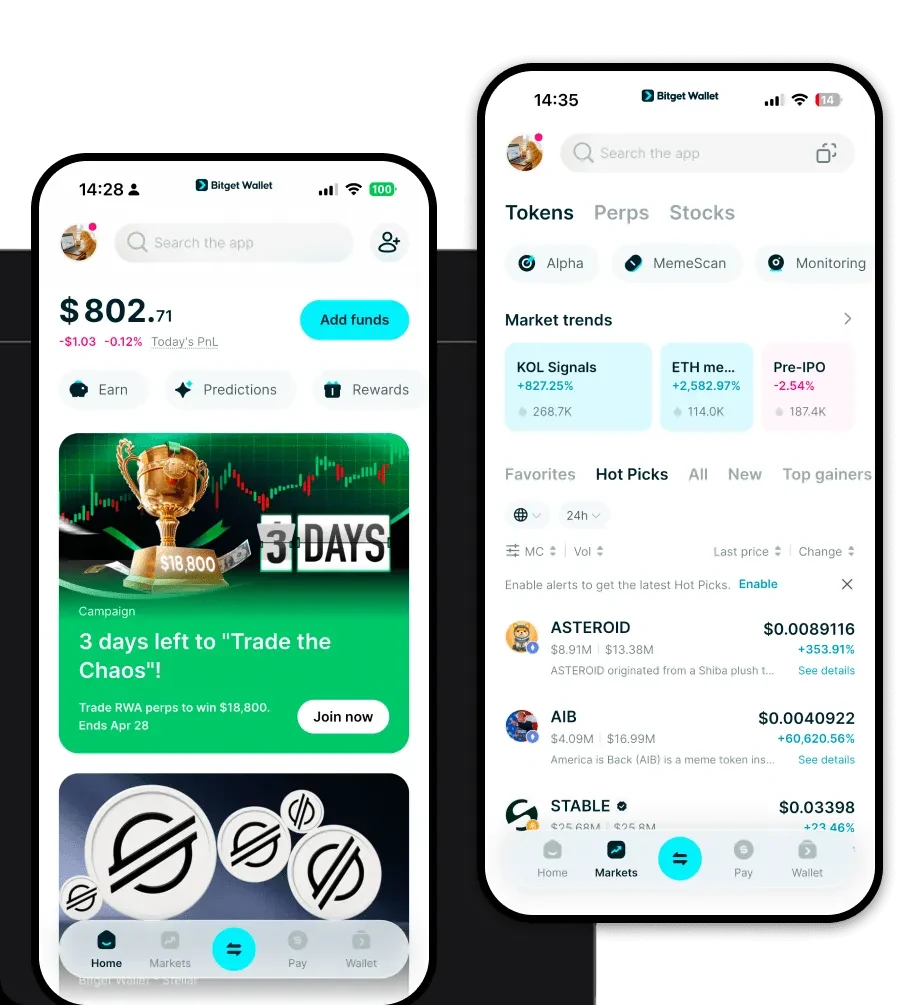
Getting started with your digital assets should be seamless, regardless of your technical background. To begin, you can download Bitget Wallet across various platforms, including iOS, Android, and as a browser extension. This flexibility ensures that you can manage your holdings whether you are at your desktop or on the move.
Bitget Wallet offers a non-custodial experience, meaning you retain full control over your private keys and seed phrases at all times. By centralizing your multi-chain assets into one interface, it eliminates the need to juggle multiple applications. Whether you are managing Felt or other diverse tokens, the application provides a smooth, unified environment designed for both security and speed.
Why Choose Bitget Felt Wallet?
Choosing the right wallet for an infrastructure-heavy asset requires looking beyond the basics. Bitget Wallet is engineered to handle the specific technical demands of the Felt ecosystem:
- Advanced zk-STARK Optimization: The wallet is built to fully support the computational efficiency of zk-STARK scalability, ensuring that your transactions remain fast and verifiable without compromising privacy.
- Native Account Abstraction: Experience a more intuitive user journey with native account abstraction, which simplifies wallet recovery and allows for more flexible transaction management compared to legacy EOA wallets.
- Cairo-Friendly Architecture: Because Felt utilizes the Cairo programming language, Bitget Wallet is optimized to interact smoothly with smart contracts written in this language, reducing potential errors during DApp interactions.
- High Throughput & Low Costs: Designed to handle high throughput, the wallet ensures that your assets are processed quickly, while the architecture keeps transaction costs minimal, even during peak network activity.
How to Create a Felt Wallet
Creating your wallet is a straightforward process that takes only a few minutes. Follow these steps to get set up:
1. Download and Install: Visit the official Bitget Wallet website or your device's app store to download the application.2. Initialize Wallet: Open the app and select 'Create Wallet'. You will be prompted to set a strong password for your local device security.3. Backup Recovery Phrase: You will be given a 12- or 24-word recovery phrase. Write this down on paper and store it in a secure, offline location. Never share this with anyone.4. Verify Seed Phrase: The app will ask you to re-enter the words in the correct order to ensure you have backed them up correctly.5. Add Felt: Once inside your dashboard, use the 'Manage Tokens' feature to search for Felt and add it to your main asset list, making it ready for receiving or sending.
What Can You Do With a Felt Wallet?
A Felt wallet is more than just a storage container; it is your gateway to the entire ecosystem. Here is how you can utilize it:
- Network Gas Fees: Use your wallet to seamlessly pay for network gas fees, ensuring your transactions are processed instantly on the blockchain.
- Governance Participation: Exercise your voting rights by using your wallet to participate in governance participation, where you can help decide the future direction of the protocol.
- Ecosystem Staking: Lock your tokens through the wallet’s interface to engage in ecosystem staking, allowing you to contribute to network security while potentially earning rewards.
- Cross-Chain Bridging: Utilize the integrated cross-chain bridging features to move your assets across different networks without leaving the safety of your wallet environment.
- Decentralized Application Interaction: Connect your wallet to various DApps to explore decentralized application interaction, ranging from DeFi protocols to experimental Web3 tools.
How Felt Wallets Are Different from Other Crypto Wallets
Not all wallets are created equal, especially when dealing with specialized infrastructure tokens. Unlike standard EVM wallets that operate on a simple account-based model, a wallet optimized for the Felt ecosystem must handle the nuances of zk-STARK proofs and Cairo-based smart contracts. While generic wallets might struggle with the complex gas estimation or specific signing requirements of this network, Bitget Wallet is engineered to interpret these unique data structures natively.
Furthermore, because the Felt ecosystem prioritizes high throughput, the wallet is designed to manage high-frequency transaction signing without the lag associated with traditional, less optimized software wallets. This results in a superior user experience where complex blockchain interactions—like account abstraction—are handled in the background, leaving the user with a clean, fast, and highly efficient interface.
